
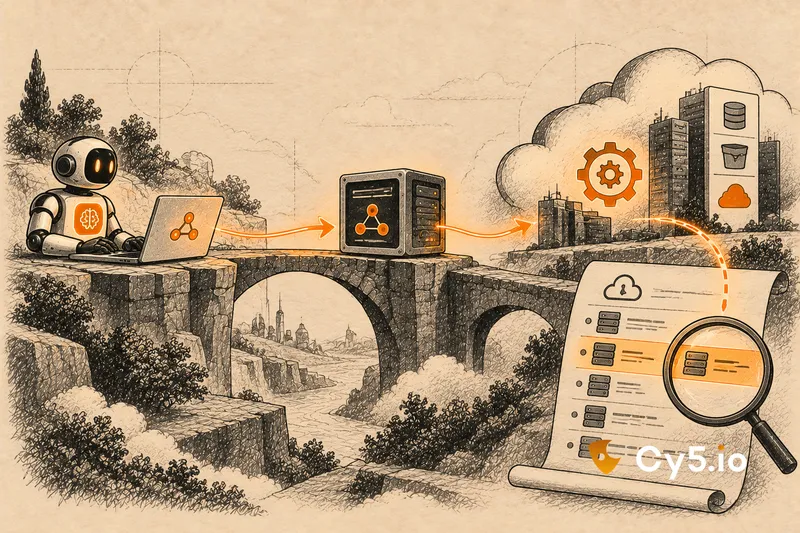

MCP server security is about controlling which credentials a Model Context Protocol server holds and what it will do with them on an agent’s behalf. An MCP server calls cloud and SaaS APIs with its own identity, not the agent’s, so whoever controls the server’s behaviour controls everything its credentials can reach.
There is a second problem that most guides skip. In your cloud audit logs, none of this is labelled as MCP. An agent’s actions through an MCP server look like ordinary API calls by whatever identity the server used. This guide covers the credential risks, what the MCP specification requires, and how to make MCP activity attributable at all.
What an MCP server actually does with credentials
The Model Context Protocol lets an AI agent discover and call tools that an MCP server exposes: query a database, read files from storage, open a ticket, search a code repository. The flow looks like this:
agent → MCP client → MCP server → cloud or SaaS API
The agent never talks to the downstream API directly. The MCP server does, and it authenticates with credentials it holds: an IAM role, a service principal, a service account, a personal access token or an API key. In effect, an MCP server is an identity broker. The agent borrows the server’s access for each tool call.
That has a direct consequence for anyone investigating an incident. The downstream system’s audit log records the server’s identity. If ten agents, or ten developers’ agents, use the same MCP server, all of their actions appear in the logs as one actor. The log can show that the server’s identity read a table. It cannot show which agent asked, which user was behind that agent, or what prompt led to the call.
It also means the server’s credential sets the ceiling on what any agent using it can do. If the server holds a token with write access to every repository in an organisation, so does every agent connected to it, whatever the agent was built for.
The Reserve Bank of India’s FREE-AI committee report names MCP explicitly when it describes the move to agentic AI in financial services. For regulated entities, the credentials behind MCP servers are part of the AI access control question, not a developer convenience.
Local servers versus remote servers
MCP servers run in two quite different ways, and the credential risk differs completely between them.
| Local (stdio) server | Remote (HTTP) server | |
| Where it runs | On a developer’s laptop or a build host, started by the MCP client | As a shared service on a network |
| Where its credentials come from | The environment: an AWS profile, az login or DefaultAzureCredential, Google Application Default Credentials, or a static token in a JSON configuration file | OAuth 2.1, as defined in the MCP authorization specification, for callers; its own service identity for downstream APIs |
| Blast radius | Everything the developer can do | Everything the service’s identity can do, for every user of the service |
| Most common failure | Tokens in mcp.json or similar config files committed to Git | Token passthrough and over-broad token audiences |
| What the cloud log shows | The developer’s own identity | The service’s identity |
The line that matters for local servers is simple: whatever the developer can do, the agent can do. A local server that uses the developer’s default AWS profile inherits every permission that profile has. If the developer is an administrator in a production account, so is the agent, for as long as the server runs. And in the cloud log, the agent’s calls are indistinguishable from the developer’s own.
The MCP specification is deliberate about this. Its authorization specification says that implementations using the stdio transport should not follow the OAuth flow and should instead retrieve credentials from the environment. That is a sensible design for a local tool. It also means the security of a local server is exactly the security of the environment it runs in.
Remote servers have a different problem. One service identity serves many users, so its permissions are usually the union of what all of them need. A remote server is also a shared piece of infrastructure, and its credentials are worth more to an attacker than any single developer’s.
Why the MCP authorization spec bans token passthrough
Token passthrough is when an MCP server accepts a token from an MCP client and forwards it, unchanged, to a downstream API. The MCP specification forbids it.
The reason is a classic security problem called the confused deputy. A deputy is a program that acts with authority on someone else’s behalf. It becomes confused when it can be tricked into using its authority, or someone else’s, for a purpose it should not serve.
With token passthrough, two things go wrong. First, if the MCP server does not check that a token was issued for it specifically, it may accept a token meant for a different service. Second, when it forwards that token, the downstream API may trust it as if the MCP server had validated it. Controls that depend on the token’s audience, such as rate limits or request validation, can be bypassed. The MCP project’s security best practices also point out an audit problem: the downstream API’s logs may show requests appearing to come from a different identity than the MCP server that actually sent them.
The specification’s answer, in the 2026-07-28 revision we reviewed for this guide, is to treat the MCP server as an OAuth 2.1 resource server:
- MCP clients must use resource indicators (RFC 8707) to name the specific MCP server a token is for, in both the authorization and the token request.
- MCP servers must validate that each access token was issued specifically for them as the intended audience, and reject it otherwise.
- MCP servers must not accept or pass on any other tokens.
- When the server needs to call a downstream API, it uses a separate token or credential issued for that API.
Authorization is optional in the specification as a whole. These rules apply to servers that implement it over HTTP. The specification also changes regularly; the 2026-07-28 revision, for example, deprecates dynamic client registration in favour of client ID metadata documents. Check the current version before relying on any detail here.
The failure modes actually seen in practice
Most MCP server security problems fall into four patterns. None of them needs a new class of attack; each is an old identity mistake in a new place.
One shared high-privilege credential behind many agents
A single MCP server is set up with a powerful credential, such as an organisation-wide admin token or a broad cloud role, and many agents or teams use it. Every agent inherits the full access, and the logs cannot tell them apart. Fix it by scoping the credential to what the server’s tools need, and by running separate servers, with separate identities, for separate purposes.
Static tokens in mcp.json, committed to Git
MCP client configuration files often hold tokens in plain text. When the file sits in a project directory, it can be committed along with the code. Add these files to .gitignore, turn on secret scanning for the repositories, and read tokens from a secret store or environment variable rather than the file.
Poisoned tool descriptions
An MCP server describes its tools to the agent in natural language, and the agent uses those descriptions to decide what to call. A malicious or altered description can instruct the agent to call a sensitive tool, or pass data somewhere it should not go. Review tool descriptions from third-party servers the way you would review code, and pin server versions so descriptions cannot change silently.
No per-server identity
When an MCP server uses a developer’s own credentials or a shared service identity, nothing in the cloud can distinguish its calls from anything else that identity does. This is the pattern that makes the other three hard to investigate, and it is the subject of the next section.
What MCP activity looks like in cloud audit logs
It looks like nothing in particular. There is no MCP flag in AWS CloudTrail, in Microsoft Entra sign-in logs or Azure Activity Logs, or in Google Cloud audit logs. Neither the MCP specification nor the three cloud providers define a way to mark an API call as having come through an MCP server.
What the logs record is the identity the server used. On AWS, that is the userIdentity of the IAM role session or user. On Azure, the service principal or managed identity, or the developer’s own account for a local server. On GCP, the principalEmail of the service account or user.
Sometimes the user agent gives a hint. CloudTrail’s userAgent field and GCP’s callerSuppliedUserAgent record the client library that made the call, and a custom MCP server may set its own. Usually it does not, and a user agent is set by the caller, so it can be anything.
Attribution therefore has to be built in. There are two ways to do it, and they work best together:
- Give each MCP server its own identity. On AWS, a dedicated IAM role; on Azure, a dedicated managed identity or service principal; on GCP, a dedicated service account. Do not let servers use a developer’s personal credentials in any shared or production context. Once each server has its own identity, every cloud log entry for that identity is an MCP call from that server. For how these identities work in each cloud, see our guide to non-human identities [/blog/non-human-identity/], which covers how to give each server its own identity.
- Log at the MCP layer. The server itself can record which client, user and tool each request came from, along with a correlation ID it can pass downstream. That is the only place the agent and user context exist.
With a dedicated identity per server, the standard detection signals for machine identities apply. Alert on the server’s identity calling an API family it has never used, reaching a data store for the first time, or producing a burst of AccessDenied errors. Some of these need logs that are off by default, such as CloudTrail data events [/blog/cloudtrail-data-events/] for S3 object reads or GCP Data Access audit logs.
A practical MCP server security checklist
- Give every MCP server its own cloud identity. No shared credentials between servers, and no personal credentials in shared servers.
- Scope that identity to the server’s tools, and review it the way you review any service role.
- Use workload identities, such as an IAM role, managed identity or attached service account, instead of long-lived keys wherever the server runs in the cloud.
- For remote servers, follow the MCP authorization specification: validate token audience and never pass client tokens through.
- Keep mcp.json and similar files out of Git, and turn on secret scanning.
- Review third-party tool descriptions like code, and pin server versions.
- Turn on logging at the MCP layer, with client, user, tool and a correlation ID.
- Run local servers with a restricted profile rather than the developer’s full access where you can.
Common questions about MCP server security
Is MCP secure by default?
No. Authorization is optional in the MCP specification, and local stdio servers take whatever credentials their environment provides. Security depends on how each server is built, configured and credentialed.
What are the main MCP server security risks?
Over-privileged or shared credentials behind a server, tokens stored in configuration files, poisoned tool descriptions, token passthrough on remote servers, and the lack of any way to attribute MCP activity in cloud logs.
Can you see MCP activity in CloudTrail?
Only as ordinary API calls by the identity the MCP server used. CloudTrail has no MCP-specific field, so you can only attribute calls to a server if that server has its own IAM identity.
Should MCP servers use OAuth?
Remote MCP servers that use HTTP should follow the specification’s OAuth 2.1 flow, with audience-bound tokens. Local stdio servers are expected to take credentials from the environment instead, which makes scoping that environment the main control.
Where a cloud security platform fits
A cloud security platform cannot see inside the MCP protocol. It does not see prompts, tool descriptions or which agent made a request. What it can see is the cloud identity each server uses, and once each server has its own identity, everything that applies to any machine identity applies here.
In Cy5’s ion platform, each MCP server identity appears in the entity graph with the workloads it runs on and the data stores it can reach, and CIEM shows the gap between the permissions it has and the ones it uses. Behaviour baselines per identity flag the moment a server’s identity does something it has never done before. The same principle holds for every agent: every agent runs on an identity, and ion governs identities. See the ion platform overview [[CY5 ION PRODUCT URL]] and our wider guide to AI agent security [/blog/ai-agent-security/].
What cloud logs cannot show
The limitations are worth stating plainly. Nothing in the cloud layer will tell you that a tool description was poisoned. Cloud logs do not record the prompt that caused a tool call, or which user’s request the agent was serving. What they show is the effect: an identity reading, writing or changing something. If you have given each server its own identity and logged at the MCP layer, that effect can be traced back to a server, a tool and a user. If you have not, the trail ends at a shared credential, and the investigation ends there too.