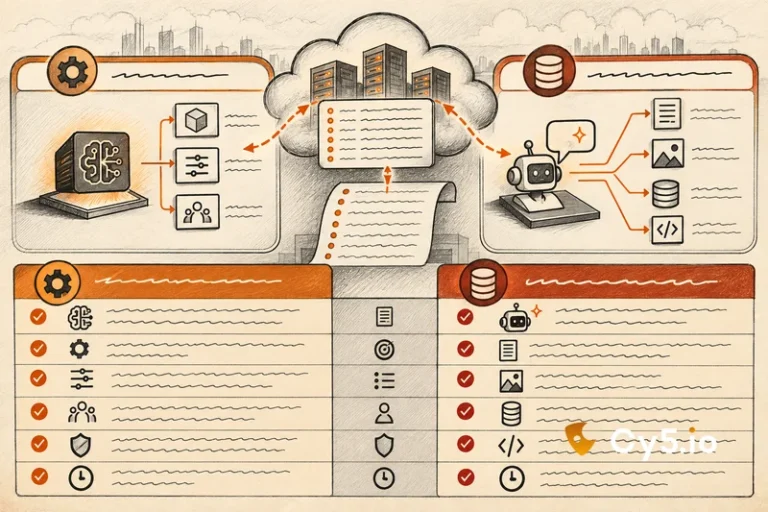
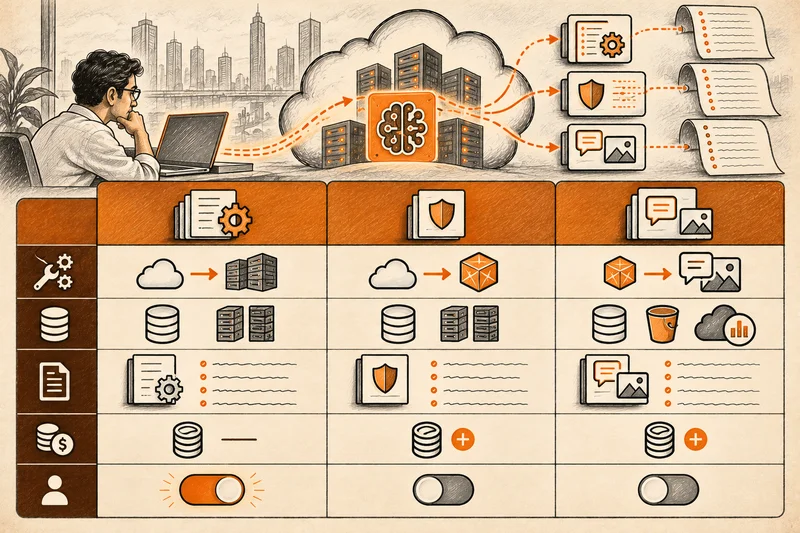

AWS Bedrock security has two halves. The first covers what a model is allowed to see and say: guardrails, data protection, encryption and private connectivity. AWS documents that half thoroughly. The second covers which identities can call Bedrock, what those identities can reach once they do, and what your audit trail actually records.
This guide is about the second half. It maps every kind of identity in a Bedrock deployment, explains the two kinds of Bedrock API key, and puts the three separate Bedrock logging settings, each with a different default, in one place.
Who can call Bedrock, and as what
Every call to Bedrock is made by an AWS identity. In a real deployment there are usually more of them than anyone has counted.
Application roles are the most common. A Lambda function, ECS task or EC2 instance calls InvokeModel or Converse using its attached IAM role. In CloudTrail, these calls show userIdentity.type as AssumedRole, with the role named in sessionContext.sessionIssuer. The credentials are temporary, with access key IDs beginning ASIA, and they rotate automatically.
Bedrock Agents add their own. Each agent needs a service role whose trust policy names bedrock.amazonaws.com. Each action group backed by a Lambda function runs under that function’s execution role. So one agent, as the business sees it, is usually several IAM identities, each with its own permissions.
Agents running on Amazon Bedrock AgentCore add more again. AgentCore Runtime uses an execution role, and AgentCore Identity gives each agent a workload identity and a token vault for the credentials it uses with outside tools. We cover that in detail in our guide to Bedrock AgentCore Identity [/blog/bedrock-agentcore-identity/].
Then there are the identities left over from experiments. IAM users with access keys beginning AKIA are still common in notebooks and proofs of concept, because they are the fastest way to get a script working. They stay valid until someone rotates or deletes them.
Finally, Bedrock API keys, which are covered in the next section, create their own credentials and, in one case, their own IAM user.
The practical question for each of these is the same: what can this identity do besides call Bedrock? A Lambda execution role that invokes a model and also reads every S3 bucket in the account is a much larger risk than the model call itself. Least privilege for Bedrock is mostly least privilege for the identities around it.
To build that list for one account, start with GetAccountAuthorizationDetails. It returns every role with its trust policy, so you can filter for roles that trust bedrock.amazonaws.com and for any role or user whose policies allow bedrock:InvokeModel. ListServiceSpecificCredentials for each IAM user shows which ones hold a Bedrock long-term key. And a CloudTrail Lake or Athena query over 90 days of management events, grouped by userIdentity.arn for eventSource bedrock.amazonaws.com, tells you which identities actually called Bedrock, which is often a different list from the ones that are allowed to.
Bedrock API keys, in detail
Bedrock API keys are a simpler way to authenticate to Bedrock, designed for quick starts. AWS documents two types, and they behave very differently.
| Short-term key | Long-term key | |
| Lifetime | Up to 12 hours, or the length of the session that generated it, whichever is shorter | Until the expiry you set when you create it |
| Permissions | Inherits the permissions of the principal that generated it | Whatever policies you attach to the IAM user behind it |
| What exists behind it | Nothing new; it is derived from the caller’s session | An IAM user that AWS creates, with policies attached and the key associated to it |
| Where it works | Only in the region where it was generated | As the attached policies allow |
| How it is created | Generated from the calling principal’s own credentials | CreateServiceSpecificCredential, which appears in CloudTrail |
| AWS’s recommendation | Preferred for anything with real security requirements | Recommended only for exploring Bedrock |
The operational consequence is simple. A long-term Bedrock API key is an IAM user, and it inherits every weakness of an IAM user. It does not rotate on its own. It keeps working after the pilot that needed it has ended. And if it leaks, it works from anywhere until someone deletes it.
AWS’s advice to use long-term keys only for exploration is sound. The difficulty is that exploration is exactly what a pilot is, and nothing forces the key out when the pilot becomes a production service. Two controls help. You can deny API key use for an identity with a policy on bedrock:CallWithBearerToken, and AWS publishes example service control policies for Bedrock that apply organisation-wide limits. If a key is exposed, AWS documents how to revoke each type: long-term keys can be deactivated or deleted, while short-term keys cannot be revoked individually, so you deny the session with a policy instead.
The three Bedrock logging settings, and their three defaults
Bedrock activity is recorded in three different places, each switched on separately, each with a different default. AWS documents them on separate pages. Here they are together.
| Setting | Default | What it records | Why you would want it |
| CloudTrail management events | On, with 90 days in Event history. A trail or event data store is needed to keep them longer | InvokeModel, InvokeModelWithResponseStream, Converse, ConverseStream, plus IAM and STS activity | Who called Bedrock, from where, and how often |
| CloudTrail data events | Off, and charged separately | InvokeAgent, InvokeInlineAgent, Retrieve, RetrieveAndGenerate, plus S3 GetObject and Lambda Invoke | Whether an agent ran at all, and what it retrieved or read |
| Model invocation logging | Off | Full request and response, token counts and the caller’s ARN, for InvokeModel, InvokeModelWithResponseStream, Converse and ConverseStream | Proving what a model or agent was asked to do, and what it said |
The first row is the one most often stated wrongly. According to AWS’s CloudTrail documentation for Bedrock, the four model invocation calls are management events, so they are recorded by default in every account. Agent and knowledge base calls, InvokeAgent, InvokeInlineAgent, Retrieve and RetrieveAndGenerate, are data events, so they are not. The CloudTrail data events reference confirms that trails do not log data events by default and that they cost extra; advanced event selectors let you log only the resources you care about.
Model invocation logging is a Bedrock setting, not a CloudTrail one. It is configured per region, with PutModelInvocationLoggingConfiguration, and writes to CloudWatch Logs, S3 or both. It records the full prompt and response, so treat the destination with the same care as the data your users put into prompts.
Put together, the consequence is this. With default settings, you can see that models were invoked, by which identity and how often, and from that you can estimate what it cost. You cannot see whether any agent ran, what it retrieved, or what anyone asked it to do. For agents in production, that is usually not enough. Our guide to CloudTrail data events [/blog/cloudtrail-data-events/] covers how to enable them without logging everything.
What Bedrock abuse looks like in the logs
The most common Bedrock abuse is LLMjacking: a stolen or leaked credential used to run models on your account. The sequence is recognisable, and most of it appears in management events you already have.
It usually starts with sts:GetCallerIdentity from a network the identity has never used. Then ListFoundationModels, often across several regions. Then GetModelInvocationLoggingConfiguration. Then bursts of InvokeModel or Converse far above the identity’s normal volume. If the credential allows it, IAM discovery follows: ListRoles, GetAccountAuthorizationDetails, SimulatePrincipalPolicy, often with a run of AccessDenied errors.
One of those calls deserves its own alert. An identity that calls GetModelInvocationLoggingConfiguration is checking whether you record prompts and responses. Almost no application needs to ask that. Treat it as a high-quality signal, especially when a call to DeleteModelInvocationLoggingConfiguration follows it.
On the AWS side, GuardDuty findings for anomalous IAM behaviour, and for instance credentials used from outside AWS, are worth enabling as a baseline. For the identity-level view, build a profile of each identity over 14 to 30 days, covering API families, regions, source networks, user agents, call rate and error rate, and alert on departures from it. Our guide to LLMjacking walks through the full sequence and the equivalents on Azure and GCP.
What guardrails do and do not cover
Amazon Bedrock Guardrails work on what goes into and comes out of a model. They filter harmful content, block denied topics, detect and redact sensitive information, and include a prompt attack filter for jailbreaks and prompt injection in user input. They do that job well, and any production Bedrock application should use them.
Their scope is the model’s input and output. They do not stop a leaked credential from invoking models, because the attacker chooses whether to call a guardrail at all. They do not restrict what an over-permissioned tool role can read. And they do not stop an agent’s Lambda function from touching a data store it was never meant to use, because that call is made with IAM credentials, not through the model.
AWS’s documentation is also precise about a limit on prompt injection. The prompt attack filter evaluates user input marked with input tags. When you call InvokeModel directly without those tags, prompt attacks are not filtered. And the filter does not evaluate tool results or tool definitions, which is where indirect prompt injection, instructions hidden in retrieved documents or tool output, usually arrives.
Guardrails and identity controls cover different failures. You need both.
A practical AWS Bedrock security hardening list
Ordered roughly by value for effort:
- Use IAM roles, not access keys, for anything that runs in AWS. Remove IAM users created for Bedrock pilots.
- Where a key must exist, prefer short-term Bedrock API keys, set an expiry on any long-term key, and deny bedrock:CallWithBearerToken for identities that should never use keys.
- Scope bedrock:InvokeModel and bedrock:InvokeModelWithResponseStream, which also govern Converse and ConverseStream, to the specific models and regions each application actually uses.
- Give each agent its own service role and each action-group Lambda its own execution role. Do not share one broad role across agents.
- Review what each of those roles can read beyond Bedrock, especially S3 buckets, DynamoDB tables and Secrets Manager.
- Turn on CloudTrail data events for agents and knowledge bases in production, scoped with advanced event selectors.
- Turn on model invocation logging where you may need to prove what was asked, and protect its destination.
- Alert on GetModelInvocationLoggingConfiguration and DeleteModelInvocationLoggingConfiguration from unexpected identities.
- Baseline invocation volume per identity, and set a cost anomaly alert on Bedrock spend as a backstop.
Common questions about AWS Bedrock security
The service is, but your deployment may not be. By default, agent invocations are not logged, prompts and responses are not logged, and nothing restricts which identities can call which models beyond the IAM policies you write.
Only if model invocation logging is turned on, and it is off by default. It is configured per region and writes to CloudWatch Logs, S3 or both.
Yes, but not all of them by default. InvokeModel, InvokeModelWithResponseStream, Converse and ConverseStream are management events and are recorded by default. InvokeAgent, InvokeInlineAgent, Retrieve and RetrieveAndGenerate are data events and must be enabled.
A service role that trusts bedrock.amazonaws.com and allows it to invoke the chosen model, plus separate execution roles for each action-group Lambda function. Each role should be scoped to the specific models, functions and data the agent uses.
They reduce it. The prompt attack filter detects some prompt injection and jailbreak attempts in tagged user input. It does not evaluate tool results, so it will not catch instructions hidden in documents or tool output, and it cannot limit what the agent’s IAM roles are allowed to do.
Where a platform fits
Native AWS tools cover a lot of this. IAM Access Analyzer finds unused access, GuardDuty flags anomalous credential use, and CloudTrail records the calls. What remains is correlation: connecting the identities around Bedrock, what they can reach, and how they are behaving, across every account.
Cy5’s ion platform does that through the identity. It keeps per-identity behaviour baselines for the roles, users and keys that call Bedrock, and evaluates each control-plane event as it arrives rather than on a scheduled scan. Its CIEM view shows granted versus used permissions on agent and tool roles, and attack path analysis shows how far an agent’s identity could reach from Bedrock into your data. Every agent runs on an identity, and ion governs identities. See the ion platform overview and our guide to AI agent security.
What your Bedrock logs cannot show
CloudTrail shows the call, not the content. Unless model invocation logging was already on when something happened, there is no record of what was asked or answered, and it cannot be recovered later. Agent runs leave no trace at all unless data events were enabled. And none of these logs see inside the model: they record which identity called Bedrock, with which parameters, not why the model produced what it did. Decide which of these records you will need before an incident, because every one of them has to be switched on in advance.