
CloudTrail data events record the data-plane operations that management events do not: reading an S3 object, invoking a Lambda function, reading or writing a DynamoDB item, and invoking a Bedrock agent. They are off by default, and they are billed per event on top of the free copy of management events.
AWS’s documentation explains how to turn them on. This guide is about the decision that comes first: which data events are worth paying for, in what order, and what you give up by leaving them off. That includes the Bedrock agent events that most teams running AI agents have not enabled.
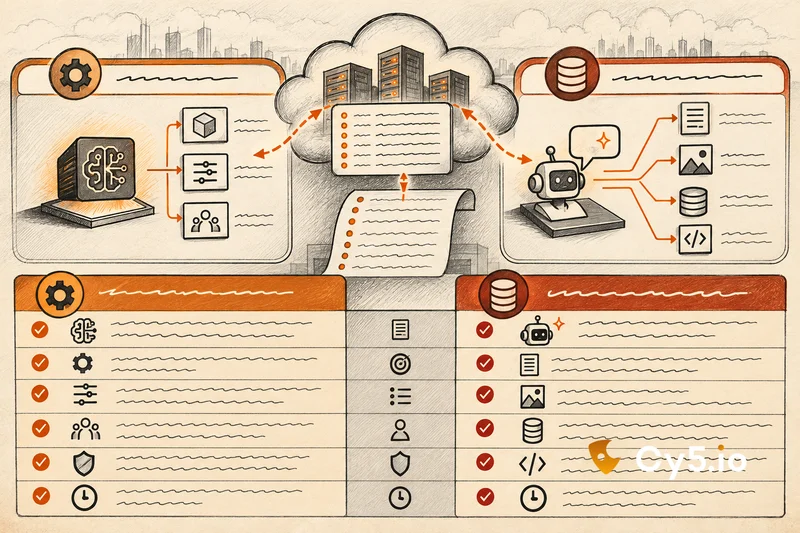
CloudTrail data events versus management events
The distinction is simple in principle and easy to get wrong in practice.
| Management events | Data events | |
| On by default | Yes, with 90 days in CloudTrail Event history. A trail or event data store is needed to keep them longer | No. You enable them per trail or event data store |
| Cost | One copy of ongoing management events delivered to S3 by a trail is free, apart from S3 storage | Charged per event |
| Examples | CreateAccessKey, AssumeRole, PutRolePolicy, PutBucketPolicy; Bedrock InvokeModel, InvokeModelWithResponseStream, Converse, ConverseStream | S3 GetObject and PutObject; Lambda Invoke; DynamoDB GetItem, PutItem, Query, Scan; Bedrock InvokeAgent, InvokeInlineAgent, Retrieve, RetrieveAndGenerate |
| Volume | Low to moderate | Can be very high, depending on the workload |
| What it answers | Who changed what, and who called which control-plane API | Who read or wrote which piece of data |
The Bedrock row is the one people get wrong. According to AWS’s CloudTrail documentation for Bedrock, model invocation calls, InvokeModel, InvokeModelWithResponseStream, Converse and ConverseStream, are management events. They are recorded by default. Agent and knowledge base calls, InvokeAgent, InvokeInlineAgent, Retrieve and RetrieveAndGenerate, are data events. They are not.
The canonical reference is AWS’s logging data events page, which lists every supported resource type. It is a long list, and it grows as services are added.
What you cannot see without data events
Management events tell you that something was configured or that an API was called. Without data events, they rarely tell you what data was touched. Three situations show the gap.
An identity reads from a customer bucket. With management events alone, you may see ListBuckets or GetBucketPolicy, which tells you the identity looked at the bucket. You will not see GetObject, so you cannot tell which objects were fetched, or whether any were.
An AI agent’s tool role reads a data store it has never touched before. This is one of the most useful signals in cloud detection, because machine identities are usually predictable, and first access to a new data store is rare. Without data events, there is no record of the access at all, so there is nothing to baseline and nothing to alert on.
A DynamoDB Scan returns an entire table. It is a data event. With data events off, it leaves nothing in CloudTrail.
For an investigation, the consequence is the same in each case. Your logs can show that the door was opened, but not what was carried out. When a regulator or a customer asks which records were accessed, “we do not know” is an expensive answer.
Before deciding what to add, check what you already log. DescribeTrails lists every trail, including organisation trails created in the management account, and GetEventSelectors on each one shows whether it records data events and for which resources. Teams are often surprised in both directions: some find an old trail logging every S3 read in the account, and others find that the data events they assumed were on were configured on a trail that was later deleted.
The AI agent events most teams have not enabled
Bedrock agent activity is logged as data events. That surprises teams who have seen Bedrock model calls in CloudTrail and assumed agents were covered too.
If you run Bedrock agents in production with data events off, you have no CloudTrail record that any agent was invoked, by whom, or how often. The same applies to knowledge base retrieval through Retrieve and RetrieveAndGenerate. In advanced event selectors, these correspond to resource types such as AWS::Bedrock::AgentAlias, AWS::Bedrock::InlineAgent and AWS::Bedrock::KnowledgeBase.
Agents on Amazon Bedrock AgentCore follow the same pattern. The CloudTrail data events reference lists AgentCore resource types including AWS::BedrockAgentCore::Runtime, AWS::BedrockAgentCore::Gateway, AWS::BedrockAgentCore::WorkloadIdentity and AWS::BedrockAgentCore::TokenVault. Our guide to Bedrock AgentCore Identity covers what those objects are.
There is a separate setting that data events do not replace. Bedrock model invocation logging records the prompts and responses themselves. It is also off by default, it is configured per region, and it is the only way to prove what an agent was asked to do. Data events tell you that an agent ran. Invocation logging tells you what it was told. For the full Bedrock logging picture, see our guide to AWS Bedrock security.
Deciding which data events to enable, in order
Logging every data event in a busy account is rarely worth it. A prioritised approach, using advanced event selectors to choose exactly what to record, gets most of the value for a fraction of the cost.
- Bedrock agent and knowledge base events, if you run agents. Why: without them there is no record of agent activity. Volume risk: usually low, because each event is one agent turn or one retrieval, not one object read.
- S3 read events on buckets holding customer or regulated data, and only those. Why: this is the evidence you need for any data access question. Volume risk: high on busy buckets, so select by bucket ARN or prefix with resources.ARN, and consider logging only reads with readOnly set to true.
- Lambda invocations for functions that act as agent tools or handle sensitive data. Why: they show which identity triggered a tool and when. Volume risk: moderate; select the specific function ARNs.
- DynamoDB item-level access on the tables that matter. Why: Scan and Query on a customer table are exactly what you want to see. Volume risk: high on hot tables; select by table ARN.
- Everything else: probably not, at first. Add more once you know what the first four cost and what they have told you.
Two refinements help. Use eventName filters where only certain calls matter, for example GetObject without HeadObject. And prefer write-only logging for buckets where reads are routine and writes are the risk.
Cost, and how to keep it sane
Data events are billed per event delivered, and the rate differs between trails and CloudTrail Lake event data stores. Check AWS CloudTrail pricing for current rates, because they change and differ by delivery method. Then estimate your own volume before enabling anything broad: S3 server access logs, request metrics, or a short trial with a narrow selector will tell you how many reads a bucket really serves.
The biggest avoidable cost is a logging loop. If a trail logs S3 data events for all buckets, and delivers its log files to one of those buckets, every log file it writes is itself a data event, which is logged in the next file, and so on. Exclude the trail’s own destination bucket from your selectors, with a resources.ARN condition, or deliver logs to a bucket in a separate logging account.
Other ways to keep costs down:
- Scope by resource ARN, not by resource type across the whole account.
- Log reads or writes, not both, where only one matters.
- Use one organisation trail for data events rather than several overlapping trails, since each copy of a data event is billed.
- Review the selectors after a month against what you actually queried.
Getting CloudTrail events fast enough to act on
Where you read CloudTrail from decides how fast you can detect anything. AWS states that CloudTrail typically delivers logs within an average of about 5 minutes of an API call, and that this is not guaranteed. A detection pipeline that reads the trail’s S3 bucket will always be at least that far behind.
For faster detection, use Amazon EventBridge, which receives CloudTrail events as they happen. Three details in AWS’s EventBridge documentation matter here:
- A trail with logging enabled is required for EventBridge to receive these events.
- Data events are delivered to rules in the normal ENABLED state, but only for the data event types the trail is configured to capture.
- Read-only management events, which include most List, Get and Describe calls, are matched only by rules whose state is ENABLED_WITH_ALL_CLOUDTRAIL_MANAGEMENT_EVENTS. A rule in the default state will not see them.
That last point catches detection engineers out. Reconnaissance calls such as GetCallerIdentity, ListRoles or Bedrock’s GetModelInvocationLoggingConfiguration are read-only. If your rules were created in the default state, they will never fire on them.
Common questions about CloudTrail data events
No. Trails and event data stores do not log data events unless you configure them to. Management events are logged by default.
They are charged per event, at rates that differ for trails and CloudTrail Lake. See the AWS CloudTrail pricing page for current rates, and estimate your own volume before enabling them broadly.
Management events record control-plane operations, such as creating a role or changing a policy. Data events record data-plane operations on resources, such as reading an S3 object or invoking a Lambda function.
Only if you enable S3 data events for that bucket. GetObject is a data event, so it is not recorded by default.
InvokeModel is a management event, as are InvokeModelWithResponseStream, Converse and ConverseStream. Bedrock agent calls such as InvokeAgent and knowledge base calls such as Retrieve are data events.
Where a platform fits
Once data events are flowing, a new kind of detection becomes possible: noticing when an identity touches a data store for the first time, or reads far more than usual. That is where per-identity behaviour baselines and a map of what each identity can reach add value. Cy5’s ion platform evaluates events as they arrive and scores deviations for each identity against what it can reach. See the ion platform overview and our guide to AI agent security.
What data events still cannot tell you
Data events record that an object was read, by whom and when. They do not record what the object contained, so you still need to know which buckets and tables hold sensitive data. They do not record what an AI agent was asked, which needs model invocation logging. And turning them on today does nothing for last month’s investigation. Every data event you might need later has to be enabled before the event happens. For how these gaps show up in a real attack, see our guide to LLMjacking, and for security group exposure in the same accounts, our AWS security group guide.